
If you create designs for Etsy, print-on-demand stores, Amazon KDP books, or social media content, you’ve probably heard about Creative Fabrica. This popular design marketplace promises millions of fonts, graphics, templates, and SVG files with commercial licenses and unlimited downloads.
But is Creative Fabrica really worth the subscription? In this detailed review, we’ll explore its features, pricing, licensing, pros and cons, and who benefits most from using it.
- 1. What Is Creative Fabrica?
- 2. Creative Fabrica Asset Library
- Fonts
- Graphics and Clipart
- SVG Files
- KDP Interiors
- Mockups and Templates
- 3. Creative Fabrica Subscription Plans (Updated Pricing)
- All Access (Design Assets)
- AI Studio & Tools Subscription
- 4. Licensing Explained
- What You Can Do
- What You Cannot Do
- 5. Built-In Tools
- Creative Fabrica Studio
- Studio AI Features
- CF Spark and CF Flow
- Fontcloud
- Why These Tools Matter
- 6. Pros and Cons
- 7. Who Should Use Creative Fabrica?
1. What Is Creative Fabrica?
Creative Fabrica is an online marketplace that provides digital assets for designers, crafters, content creators, and entrepreneurs.
You can find:
-
Fonts
-
Clipart and illustrations
-
SVG cut files
-
Embroidery designs
-
Templates and mockups
-
Amazon KDP interiors
-
Patterns and textures
All assets are created by independent designers worldwide, with new content added daily.
This makes the platform an all-in-one solution for creative professionals who need a steady flow of design resources.
2. Creative Fabrica Asset Library
The main strength of Creative Fabrica is its massive asset collection.
Fonts
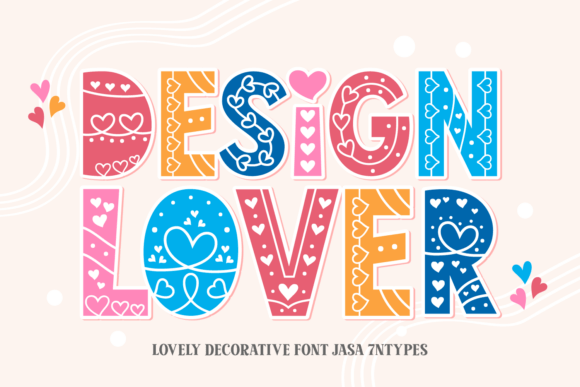
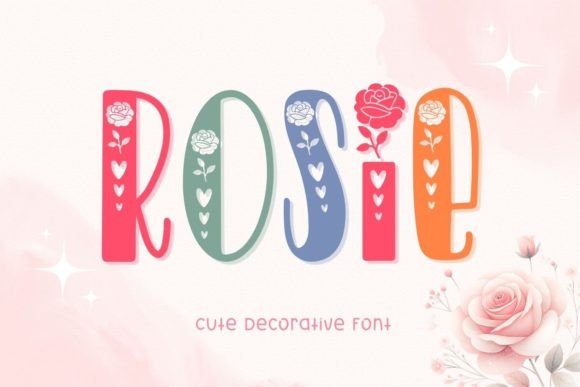
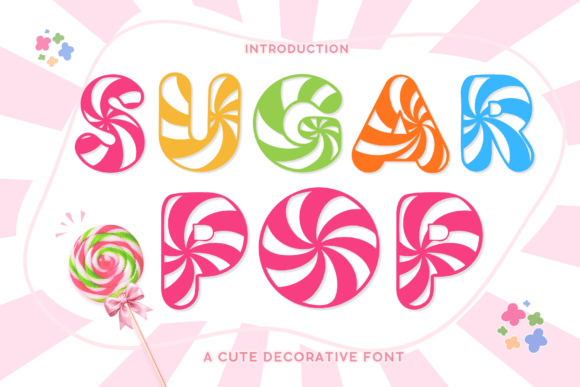
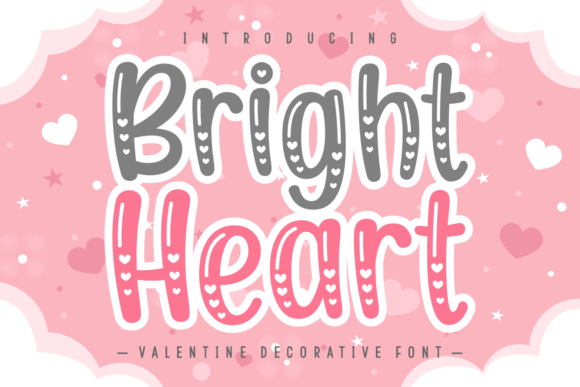
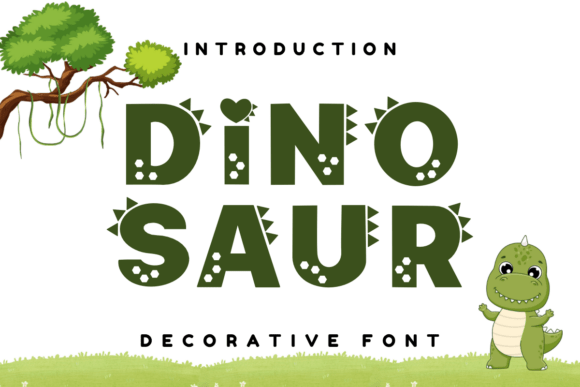
Thousands of decorative, script, and display fonts are available with commercial licenses—perfect for branding, merchandise, and packaging. You can find examples of beautiful fonts here: Fonts for Designers.

Graphics and Clipart
SVG Files
Cut files optimized for Cricut and Silhouette machines—great for t-shirts, decals, and DIY crafts.
KDP Interiors
Ready-made templates for journals, planners, logbooks, and coloring books formatted for Amazon KDP.
Mockups and Templates
Professional product mockups for mugs, shirts, packaging, and social media templates.
With millions of files and strong filtering tools, it’s easy to find assets by style, niche, or file type.
For example, 50 free Canva templates for POD (fully editable + free download)

3. Creative Fabrica Subscription Plans (Updated Pricing)
Creative Fabrica offers flexible subscription options that can be purchased separately depending on what you need.
All Access (Design Assets)
-
Around $4/month when purchased on a promotional annual plan
-
About $57 per year for unlimited downloads of fonts, graphics, SVG files, templates, mockups, and other assets
-
Includes full commercial and POD licensing
-
Does NOT include AI tools or Studio features
This plan is ideal for designers, Etsy sellers, and print-on-demand creators who mainly need digital assets.
AI Studio & Tools Subscription
Creative Fabrica’s AI tools and Studio editor are sold as a separate subscription, usually around $57 per year during promotions.
Includes access to:
-
Creative Fabrica Studio
-
CF Spark AI image generation
-
CF Flow tools
-
Other AI-based creative features
| Plan | Price (Approx.) | What You Get |
|---|---|---|
| Full Access Bundle | $110–$120 per year (during promotions) | Unlimited asset downloadsCommercial + POD licenseFull AI tools and Studio access |
| Free Plan | Free | 10 downloads per monthLimited asset libraryBasic commercial license |
Tip: Creative Fabrica frequently runs discounts, so pricing may change. Always check the official website before subscribing.

4. Licensing Explained
Understanding licensing is crucial when using design assets.
What You Can Do
-
Sell physical products on Etsy, Shopify, and POD platforms
-
Publish low-content books on KDP
-
Use assets in client work
-
Create unlimited projects
What You Cannot Do
-
Resell raw files
-
Share editable templates with original assets
-
Create new products after subscription ends
Always check the license for each asset, especially for digital products.
5. Built-In Tools
Creative Fabrica offers several built-in tools that help creators work faster and stay organized. Instead of switching between multiple apps, you can search assets, edit designs, and generate graphics in one place. As a result, beginners can launch products quickly, while experienced designers can speed up routine tasks.
Creative Fabrica Studio

Creative Fabrica Studio is a browser-based design editor that works similarly to Canva. It allows users to create social media posts, POD designs, and printable layouts directly in the browser. In addition, you can insert fonts, clipart, and templates from the Creative Fabrica library without downloading files first. Because everything is integrated, the workflow becomes faster and more consistent.
Studio AI Features
The Studio also includes AI tools that simplify design tasks. For example, you can generate images from text prompts, remove or replace backgrounds, upscale graphics, and create seamless patterns. Moreover, the editor helps test font combinations, adjust layouts, and prepare print-ready files for Etsy or POD platforms. As a result, creators can turn ideas into finished products in minutes, even without advanced design skills.
CF Spark and CF Flow
Creative Fabrica provides additional AI tools such as CF Spark for image generation and CF Flow for creative automation. These features help produce coloring pages, illustrations, textures, and pattern ideas from simple prompts. Therefore, sellers can quickly create seasonal collections, experiment with styles, and test new niches before investing time in full projects.
Fontcloud
Fontcloud is a built-in font manager that lets you preview glyphs, symbols, and language support before downloading fonts. In addition, it helps organize font collections and compare styles more easily. Because font choice is crucial for branding, this tool saves time and prevents mistakes.

Why These Tools Matter
Built-in tools are especially useful for Etsy sellers, POD creators, and bloggers who need fast results. Instead of buying multiple subscriptions, they can design, test, and export products inside one ecosystem. Consequently, Creative Fabrica becomes not only a marketplace but also a practical workspace for daily creative tasks.
6. Pros and Cons
| Pros | Cons |
|---|---|
| Huge library of design assets | Quality varies between designers |
| Unlimited downloads with commercial licensing | Popular assets can feel overused |
| Affordable annual deals | Licensing can be confusing for beginners |
| POD-focused resources | Some concerns about designer compensation |
| Easy-to-use interface |
7. Who Should Use Creative Fabrica?
Creative Fabrica is ideal for:
-
Etsy and POD sellers
-
Amazon KDP publishers
-
Bloggers and content creators
-
Cricut and DIY crafters
-
Freelance designers and small businesses
If you constantly need design assets, a subscription can save time and money.
However, designers needing unique high-end branding assets may want more exclusive resources.
Creative Fabrica is a powerful tool for designers and digital entrepreneurs. Its unlimited downloads, commercial licenses, and diverse asset library make it especially valuable for print-on-demand sellers and KDP publishers.
While quality varies and some assets are widely used, the platform offers excellent value—especially with discounted annual plans.
If you rely on design resources to build products or content, Creative Fabrica is definitely worth testing.



Great article, exactly what I wanted to find.