

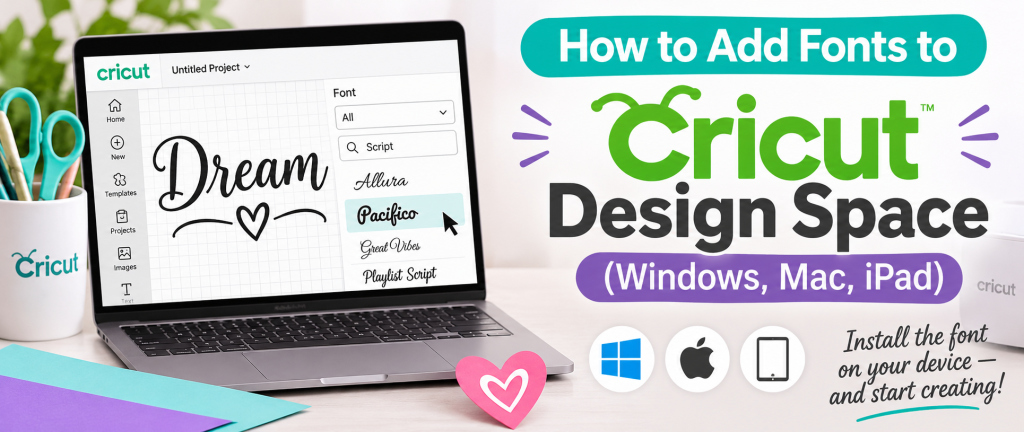
Short answer: you don’t upload fonts to Design Space. Instead, you install the font on your computer or tablet, and Design Space reads it from there. After that, restart Design Space and look for the font in the list.
*This post contains affiliate links. If you buy through them, I may earn a small commission at no extra cost to you.
Last checked: November 25, 2026.
Why there is no upload button for fonts
Design Space lets you upload images, but not fonts. As Sarah Maker explains, there is currently no way to store a font inside Design Space the way you store an image. In other words, the app uses the fonts on your device plus the fonts Cricut provides. Designbeep describes the same thing. Many Cricut fonts need a Cricut Access subscription, while the rest come from your system.
So two things follow from this:
- To use a font on two devices, you have to install it on both.
- Once a font sits on your device correctly, Design Space shows it under system fonts.
Before you start: download and unzip the font
Fonts usually arrive as a ZIP file, so unzip it first. Inside you will often find an .otf file and a .ttf file. If you have a choice, Sarah Maker recommends the .otf file. However, .ttf also works.
Also, if you downloaded the font from Creative Fabrica, check the license for your use first. For details, see our guide to Creative Fabrica commercial use before you sell anything you make with it.
How to add a font on Windows
- First, unzip the font file if it comes as a ZIP.
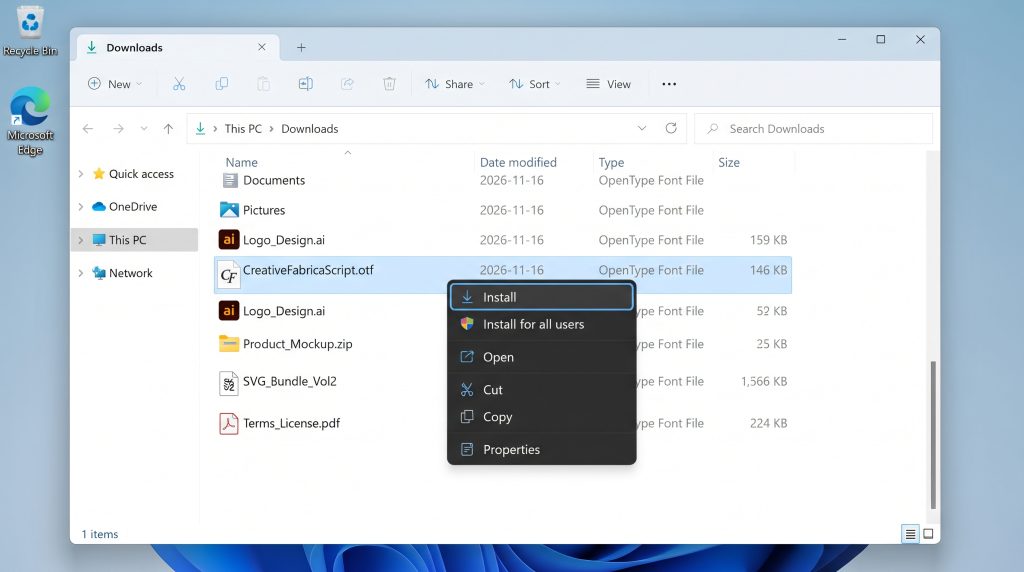
- Next, right-click the font file and choose Install.
- Finally, if Design Space is open, close it and open it again.
Installing a font on a Mac
- Unzip the font file first if it comes as a ZIP.
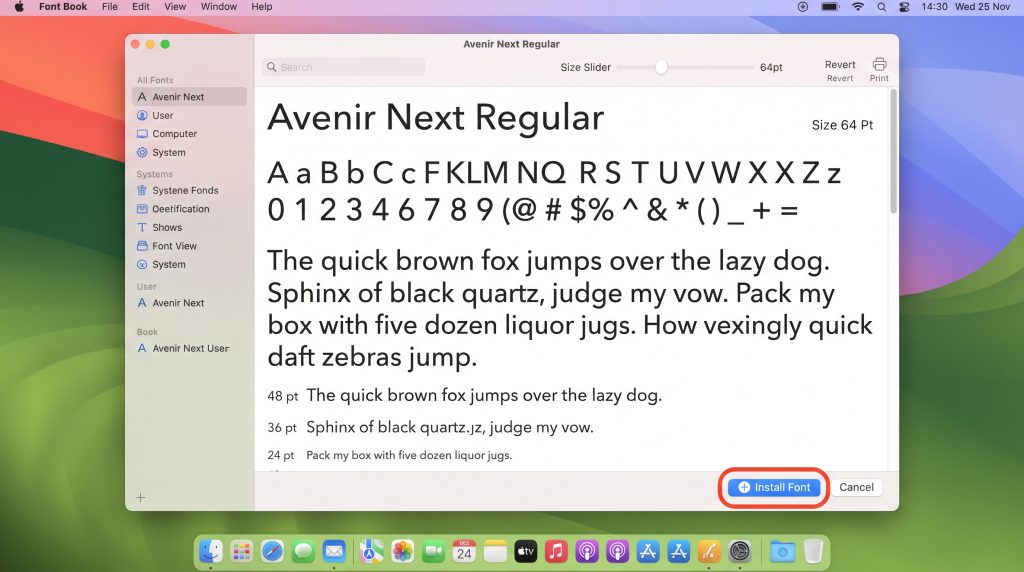
- Then open the font file from Finder. A preview window appears.
- Click the install button in that window.
- After that, restart Design Space.
Adding fonts on iPad or iPhone
On the iPad, you need a free helper app to install a font, for example iFont. The steps below follow Sarah Maker’s tutorial:
- Install a free font manager app such as iFont.
- Then go to iFont’s Font Finder and open the font file from the Open Files tab.
- Next, switch to the Installer tab, install the font and allow it.
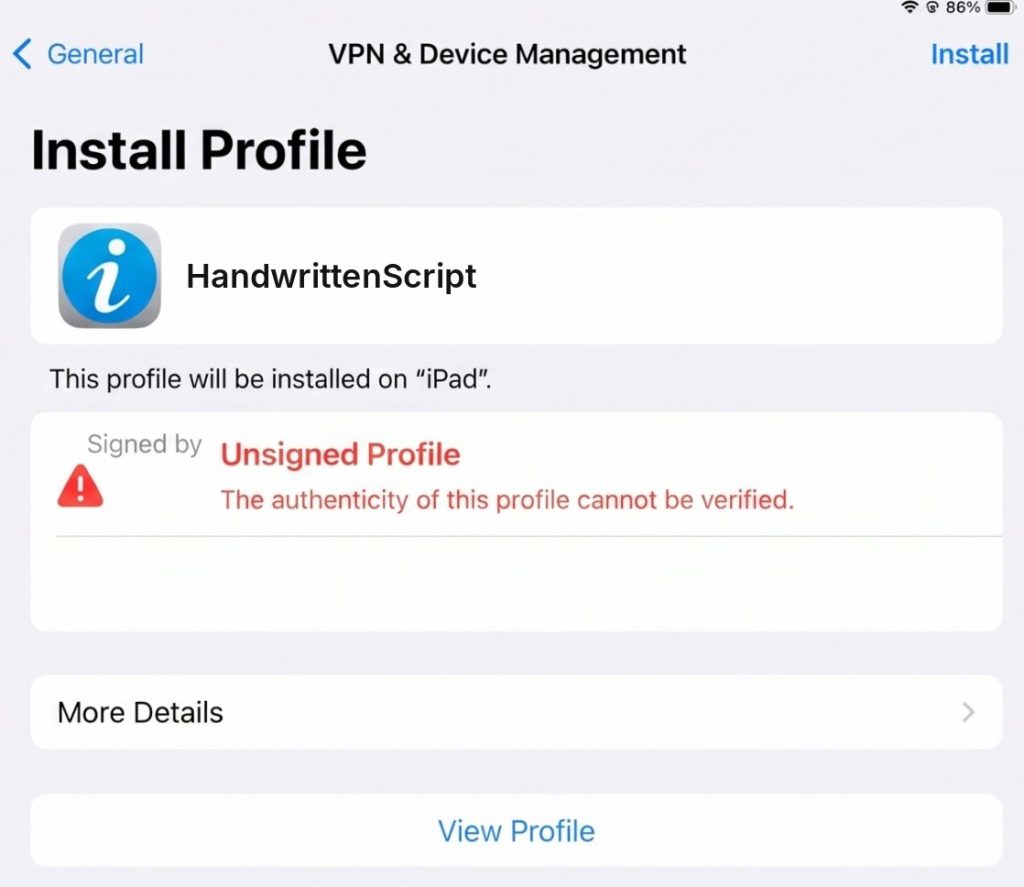
- After that, go to Settings, open the downloaded profile and install it. If you see a warning about an unsigned profile, accept it.
- Finally, open the Design Space app and use the font.
How to add a font on Android
The same source describes this route as well. First, install iFont and unzip the font if needed. Then open it under My Font, preview it, and tap Set to finish.
How to find the font in Design Space
- Open a project and add a text box.
- Then open the font list.
- Set the filter to All or System, not only Cricut fonts.
- Finally, type the font name in the search field.
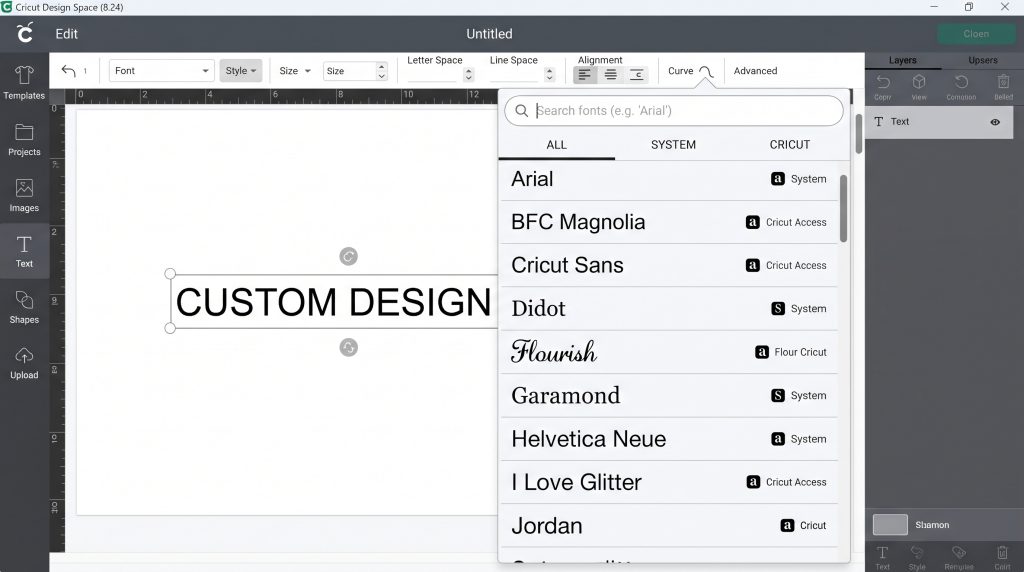
Font not showing up in Design Space? What to check
- The font filter shows Cricut fonts only. In that case, switch it to All or System.
- Design Space was open during the install. So close it and open it again.
- Otherwise, a restart of the computer fixes the rest in most cases.
- On the iPad, you may have skipped the profile step in Settings. Go back and finish it.
Still nothing? Make sure you unzipped the file and installed the font itself, not the ZIP.
FAQ
Can I upload a .zip file to Design Space? No. Instead, install the font on your device.
Do fonts I install sync to other devices? Unfortunately not. You need to install the font on each device you use.
Do I need Cricut Access for my own fonts? No, because Cricut Access only covers the fonts Cricut provides. Fonts you install yourself count as system fonts.
Where can I find fonts that work well for cutting? For that, see our picks of fonts for Cricut: script fonts, calligraphy fonts, farmhouse fonts, monogram fonts and single line fonts for Cricut pens.
Sources: Sarah Maker, Designbeep.